EXPERT TIPS FOR MOVING YOUR HOME OFFICE
Key Highlights
- Assess your current home office setup and create a detailed moving checklist
- Declutter before the move by identifying items to keep, donate, or sell
- Securely dispose of unnecessary paperwork to protect sensitive documents
- Organize and back up digital files using cloud storage and external hard drives
- Follow packing tips to safely pack electronics and office supplies
- Take precautions when moving sensitive documents to ensure privacy protection and secure transport
Introduction to Moving Home Office
Moving your home office can be a complex task, requiring careful planning and organization. Whether you run your business from home or simply use your home office for work purposes, it's important to take the necessary steps to ensure a smooth and successful move. By following these tips, you can minimize stress, protect your valuable equipment and documents, and set up your new home office efficiently.
Preparing for Your Home Office Move
The first step in preparing for your home office move is to assess your current setup and create a detailed moving checklist. Take inventory of your office equipment, including computers, printers, scanners, and other electronics. Evaluate your office furniture and determine if any items need to be disassembled for the move. Consider the value and fragility of your equipment to ensure it is properly protected during transportation. Having a moving checklist will help you stay organized and ensure that no important tasks are overlooked during the moving process.
Assessing Your Current Setup
Assessing your current setup is an important step in preparing for your home office move. Take stock of your office equipment, including computers, printers, scanners, and any other essential devices. Note their condition and make any necessary repairs or upgrades before the move. Consider the value and fragility of your equipment to determine the level of protection it will require during transportation. Evaluate your office furniture and determine if any items need to be disassembled for easier packing and moving. By thoroughly assessing your current setup, you can ensure that all necessary equipment and furniture are properly accounted for and prepared for the move.
Creating a Detailed Moving Checklist
Creating a detailed moving checklist is essential to ensure a smooth and organized home office move. Start by setting a move date and work backwards to establish deadlines for each phase of the move. This will help you stay on track and ensure that all tasks are completed in a timely manner. Here are some key items to include in your moving checklist:
- Set a move date and notify relevant parties
- Inventory your office equipment and furniture
- Purchase necessary packing supplies, such as boxes, bubble wrap, and packing tape
- Establish a packing plan and organize items by category or room
- Securely pack and label all boxes
- **Coordinate with professional movers like William C. Huff **
By creating a detailed moving checklist, you can stay organized, meet deadlines, and ensure that nothing is overlooked during your home office move.
Packing Home Office: Decluttering Before Packing
Before packing up your home office, it's important to declutter and streamline your belongings. This will not only make the packing process easier but also help you create a more organized and efficient workspace in your new home office. Take inventory of your office items and identify what you truly need and use on a regular basis. Consider donating or selling items that are in good condition but no longer serve a purpose. This will not only reduce the amount of items you need to move but also ensure that your new space is free from unnecessary clutter.
Identifying Items to Keep, Donate, or Sell
When decluttering your home office, it's important to identify which items to keep, donate, or sell. Start by going through your office supplies and determining which ones are still in good condition and necessary for your work. Donate any unused or excess supplies to local schools, charities, or community organizations. If you have office furniture or equipment that is no longer needed, consider selling it online or through a local classifieds platform. This not only helps you declutter but also gives these items a new life with someone who may find them useful (sustainability). By identifying items to keep, donate, or sell, you can streamline your home office and make the moving process more efficient.
Securely Disposing of Unnecessary Paperwork
As you declutter your home office, it's important to securely dispose of unnecessary paperwork to protect sensitive documents and maintain privacy. Start by sorting through your files and identifying which documents need to be kept, which can be shredded, and which can be recycled. Invest in a reliable shredder to safely dispose of any sensitive or confidential paperwork. If you have any documents that contain personal or financial information, it's best to shred them to prevent identity theft. By securely disposing of unnecessary paperwork, you can ensure that your sensitive information remains protected during the moving process.
Organizing and Backing Up Digital Files
In addition to decluttering physical items, it's important to organize and back up your digital files before your home office move. Start by creating a folder structure on your computer that is organized and easy to navigate. Categorize your files into folders based on their content or purpose. This will make it easier to find and access your files in the future. Additionally, consider backing up your important files to a cloud storage service or an external hard drive. This will provide an extra layer of protection and ensure that your files are easily accessible even if your computer is damaged or lost during the move.
Cloud Storage Solutions
Cloud storage solutions offer a convenient and secure way to back up and store your important data during a home office move. There are several cloud storage providers available, such as Google Drive, Dropbox, and Microsoft OneDrive. These services allow you to store your files in the cloud, accessible from any device with an internet connection. By uploading your important files to the cloud, you can ensure that they are protected and easily accessible during and after the move. Cloud storage also provides an additional layer of security, as your files are encrypted and stored on remote servers. This eliminates the risk of data loss or damage to physical storage devices.
External Hard Drive Backup Strategies
In addition to cloud storage, using an external hard drive is another effective backup strategy for your important files during a home office move. An external hard drive allows you to create a physical backup of your files, providing an extra layer of protection. Consider purchasing a high-quality external hard drive with ample storage capacity. Use reliable backup software to automatically synchronize your files with the external hard drive on a regular basis. This will ensure that your important files are always up to date and accessible, even if you don't have an internet connection. Make it a habit to regularly back up your files to the external hard drive to protect against data loss during the move.
Packing Tips for Your Home Office
Properly packing your home office items is essential to ensure that they are protected during the move. Here are some packing tips to help you pack your home office efficiently:
- Use sturdy cardboard boxes to pack your office supplies and equipment. Label each box with its contents for easy identification.
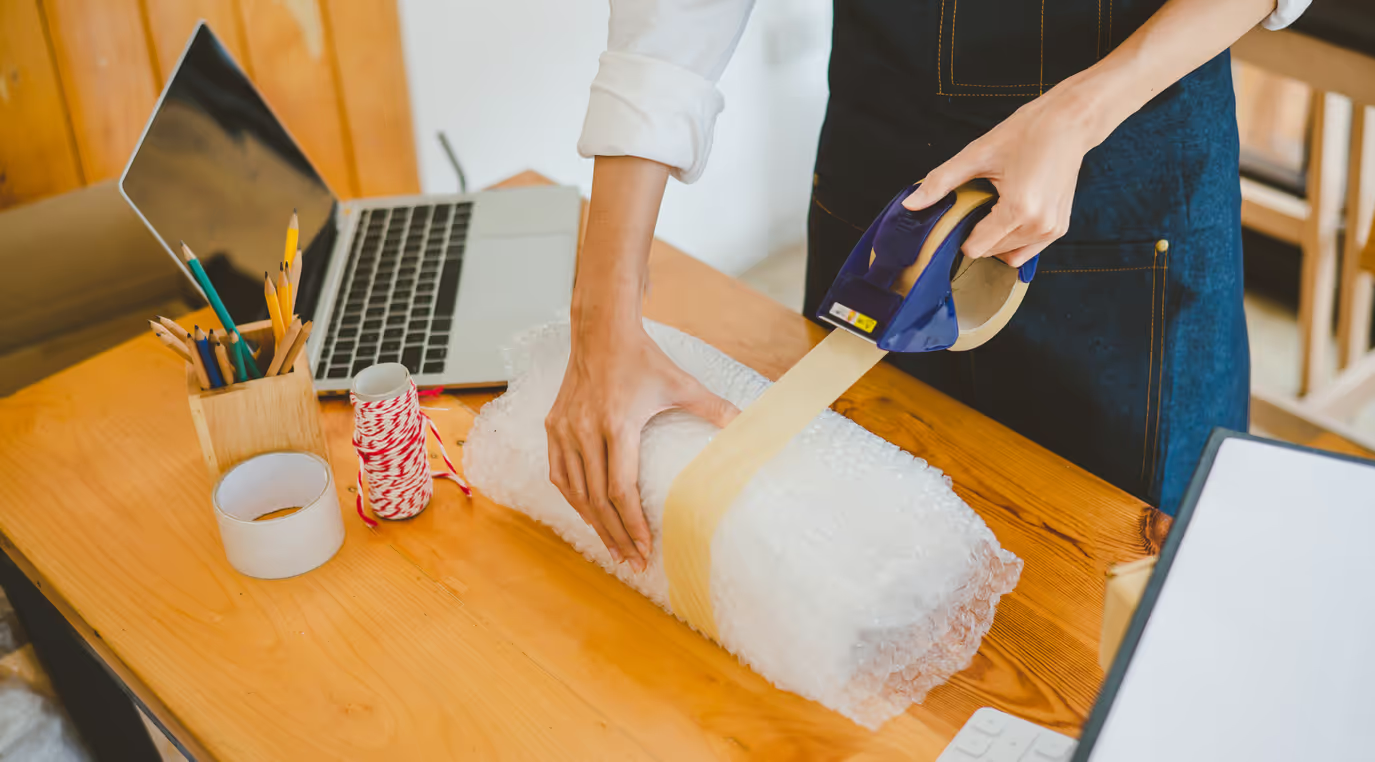
- Wrap fragile items, such as computer monitors and printers, in bubble wrap or packing paper to protect them from damage.
- Disassemble any furniture, such as desks and bookcases, to make them easier to transport. Pack the disassembled parts securely.
- Use packing tape to seal the boxes and prevent them from opening during transportation. Reinforce the bottom of the boxes with extra tape for added strength.
- Pack heavier items at the bottom of the boxes and lighter items on top to prevent them from shifting and getting damaged.
- Fill any empty spaces in the boxes with packing paper or bubble wrap to prevent items from moving around.
How to Pack Electronics Safely
Packing electronics safely is crucial to prevent damage during a home office move. Follow these steps to pack your electronics securely:
- Disconnect and remove any cables and accessories from your electronics
- Wrap each electronic device in padding, such as bubble wrap or packing paper
- Place the wrapped electronics in a sturdy box, ensuring there is enough padding around them to prevent shifting
- If you still have the original packaging, use it to pack the electronics as it provides the best protection
- If you do not have the original packaging, choose a box that is the right size for the device and add additional padding
- Seal the box with packing tape and label it as fragile and indicate which side is up
Best Practices for Packing Office Supplies
Properly packing your office supplies is essential to prevent damage and keep them organized during a home office move. Here are some best practices for packing office supplies:
- Sort and categorize your office supplies before packing them
- Place small items, such as pens, pencils, and paper, in resealable bags or small boxes to keep them organized
- Pack larger office supplies, such as staplers and desk organizers, in sturdy boxes with proper padding
- Label each box with its contents and indicate if the contents are fragile
- Use packing tape to secure the boxes and prevent them from opening during transportation
Moving Sensitive Documents
Moving sensitive documents requires special care to protect their privacy and ensure secure transport. Here are some tips for moving sensitive documents during a home office move:
- Create a separate folder or box for sensitive documents
- Label the folder or box as "Confidential" or "Sensitive"
- Transport the documents yourself, if possible, or choose William C. Huff who has experience in handling sensitive items
- Keep the sensitive documents with you at all times during the move
- Consider using a lockable briefcase or a secure storage container for added protection
Privacy Protection During the Move
Privacy protection is crucial when moving a home office, especially when it comes to sensitive information. Here are some measures you can take to protect your privacy during the move:
- Physically secure sensitive documents and files in lockable containers or briefcases
- Keep these containers with you at all times during the move
- Use opaque packing materials to prevent the contents from being visible during transportation
- Choose William C. Huff, who has experience in handling sensitive items
- Consider using a GPS tracking system to monitor the location of your belongings in real-time during the move
Setting Up Your New Home Office
Setting up your new home office is an important step in the moving process. Here are some tips to help you set up your new home office efficiently and comfortably:
- Plan the layout of your new home office, considering factors such as natural lighting, noise, and privacy
- Ensure that your desk and chair are ergonomically positioned to promote good posture and reduce the risk of discomfort or injury
- Set up your computer, printer, and other essential equipment in a way that promotes efficiency and productivity
- Check your internet and tech setup to ensure a smooth transition to your new location
Ergonomic Setup for Productivity
An ergonomic setup is essential for productivity and comfort in your home office. Here are some tips for achieving an ergonomic setup:
- Choose a comfortable and adjustable chair that provides proper support for your back
- Position your desk at the correct height to promote good posture and reduce strain on your neck and shoulders
- Ensure that your computer screen is at eye level to reduce eye strain
- Use a keyboard and mouse that allow your wrists to remain in a neutral position
- Invest in a supportive and ergonomic office furniture, such as a standing desk or an adjustable monitor stand
By prioritizing ergonomics in your home office setup, you can improve your comfort, productivity, and overall well-being.
Optimizing Internet and Tech Setup
Optimizing your internet and tech setup is crucial for a smooth transition to your new home office. Here are some tips to help you optimize your internet and tech setup:
- Contact your internet service provider to transfer your internet connection to your new location
- Ensure that your internet speed and reliability meet your work requirements
- Test your internet connection in your new home office to identify any potential issues
- Update your tech setup, such as installing necessary software and updating device settings
- Consider using a Wi-Fi extender or mesh network system to ensure optimal internet coverage throughout your new home office
Managing Work While Moving
Managing work while moving can be challenging, but with proper planning, you can minimize disruption and ensure a smooth transition. Here are some tips for managing work during the moving process:
- Create a work schedule that accommodates the moving tasks and allows for minimal disruption
- Set realistic deadlines and prioritize tasks to ensure that important work is completed on time
- Communicate with clients, colleagues, and collaborators about your move and any potential delays
- Consider outsourcing certain tasks or delegating work to minimize your workload during the move
Communicating with Clients and Colleagues
Effective communication with clients and colleagues is crucial during a home office move. Here are some tips for communicating with clients and colleagues during the moving process:
- Notify clients and colleagues about your move well in advance and provide them with your new contact information
- Inform them of any potential delays or changes in project timelines due to the move
- Maintain regular communication to keep clients and colleagues updated on the progress of ongoing projects
- Consider scheduling virtual meetings or video conferences to minimize the impact of the move on collaborative work
- Provide clear and timely responses to any inquiries or requests from clients and colleagues
Hire William C. Huff to pack and move your office
When it comes to moving your home office, hiring professional movers can make the process much smoother and less stressful. We are a reliable and experienced moving company that specializes in moves of all types, including office relocations. With our expertise and resources, we can handle all aspects of your home office move, from packing and transporting your equipment to basic up your new office space. With our professional movers and well-maintained moving trucks, you can trust that your home office items will be handled with care and arrive safely at your new location. Hiring William C. Huff will ensure a seamless and efficient home office move.
Conclusion
Moving your home office can be a daunting task, but with proper planning and organization, you can make the transition smooth and efficient. Start by assessing your current setup and creating a detailed moving checklist to stay organized. Declutter unnecessary items and securely dispose of paperwork. Remember to back up your digital files using cloud storage solutions or external hard drives. Pack electronics and office supplies carefully, and move sensitive documents securely. Once in your new space, prioritize an ergonomic setup for productivity and optimize your tech infrastructure. Plan your work schedule around the move and communicate with clients and colleagues to minimize disruptions. For a stress-free move, consider hiring professionals like William C. Huff for expert packing and moving services.
Frequently Asked Questions
How do I ensure my home office equipment is safely moved?
To ensure the safe transport of your home office equipment, you should hire professional movers who have experience in handling fragile items. Use proper packing materials, such as bubble wrap and packing paper, to protect your equipment. Secure the items in moving boxes with packing tape to prevent shifting during transport.
Can I deduct moving expenses for my home office on my taxes?
It is possible to deduct certain moving expenses related to your home office on your taxes, but the eligibility criteria and rules vary. Consult a tax professional or refer to the IRS guidelines to determine if you qualify for any deductions.
Tips for staying productive during the move?
To stay productive during a home office move, create a work schedule that allows for minimal disruption. Prioritize tasks, communicate with clients and colleagues, and consider outsourcing non-essential work. Stay organized and allocate dedicated time for packing and moving-related tasks.
How soon should I start setting up my new home office?
It is recommended to start setting up your new home office as soon as possible after the move. Ideally, you should have a clear plan and timeline in place to begin setting up your new space on or shortly after the move date.